Tuesday, 28 June 2016

How To Convert 1 GB Or 2 GB Memory/SD Into 4GB


post-feature-image

How To Convert 1 GB Or 2 GB Memory/SD Into 4GB

1- First Of All Take A Backup Of Your Memory Card... 2- Now Download This Toolkit In Your Pc....


1- First Of All Take A Backup Of Your Memory Card...

2- Now Download This Toolkit In Your Pc..By This Link

3- Extract 'increase internal space of memory Card Toolkit' which you have downloaded.

4- Now Put Your Memory In Computer..
post-feature-image

How To Convert 1 GB Or 2 GB Memory/SD Into 4GB

1- First Of All Take A Backup Of Your Memory Card... 2- Now Download This Toolkit In Your Pc....


1- First Of All Take A Backup Of Your Memory Card...

2- Now Download This Toolkit In Your Pc..By This Link

3- Extract 'increase internal space of memory Card Toolkit' which you have downloaded.

4- Now Put Your Memory In Computer..


But First Take Backup...

5- After Backup Of Your Memory Then Open Drive Increaser.bat file from extracted folder.

6- After That The Script Will Open In Your Pc..It Will Ask You For Name Of Your Memory/Sd Card.. like Aman (G)

7- Now Your Have To Enter Your Drive's Letter... If You Don't Know Your Drive's Letter Then Go To My Computer.

8- Here You Will See Your Drive's Letter

• for example because it very important to be careful while entering your drive name. Like My drive's name is G:

9- Now Again Enter Your Drive Name...

10- Now Wait Some Time.. It Script Can Take 2-10 Minutes Or Maybe More...

11- Its All Done Now See Your Memory Card Internel Space If It Is 4 GB ( Then You Have Good Luck ) If It Is Not Increshed [Then You Have Bad Luck ]

• If it increased then now, you have converted your Memory Card/SD card's internal storage and now you can restore the backup that you have taken
 
Continue reading

Saturday, 10 October 2015

7 Best Websites To Learn Coding/Programming Languages Online

In modern time with the advancement of computer’s in every field, there is huge demand of computer software’s and website’s. No doubt many online builder are available which provides you facility to Create Website Without Coding but all these platforms are limited. If you want expand business or want to survive with computer field then it is necessary to have basic knowledge about Programming Languages which are basic fundamental of that fields like PHP for Web Development or Java for Software development and many more fields.
Best Websites To Learn Coding/Programming Languages Free
Today the peoples are in hurry and they don’t have time to learn programming skills and also it is costlier for the poor people to learn such skills. So to learn such skills internet websites are one of the more efficient ways. Internet websites provide the time flexibility to peoples to learn anything of there choice. People can learn when they have time to learn. Websites are available 24 X 7 in year. People can learn coding through these websites even in homes as well as outside of home with the help of internet. Working people can also fulfill there dream of becoming a good programmer or web designer with the help of such websites.


Best Online Websites To Learn Coding


#1. W3schools.com


W3schools.com is the one of the most famous websites to learn each and every type of programming language including web based, desktop based and database languages. It offer all these courses for free. According to me W2schools is best platform to start learning from very basic level to advance level of a particular course. It divide the course into chapters and Coding Editor is also available for practicing at the end of every chapter to test your skills. Upon visiting the main page, you just have to choose the course of your choice for free and start learning.

W3school offer following courses.
  1. HTML/CSS
  2. JavaScript
  3. HTML Graphics
  4. Server Side
  5. XML Tutorials
  6. WEB Building Web Building
W3schools.com


#2. Codecademy.com


Codecademy is the most famous website to teach you how to code interactively, thanks to its helpful interface and well-structured courses. Upon visiting the main page, you can already start tasting the programming right away, with its motivating on-screen console. you just need to make a account on this website to start learning. Pick a course that Codecademy offers from Web Fundamentals, PHP, JavaScript, jQuery, Python, Ruby and APIs. inside each lesson is a panel that explains necessary code and instruction. Another panel allows you to get your hands dirty by writing acceptable code, then checking if you are doing the right thing. Don’t worry about making mistakes, as both instruction and code panels will warn you of errors, and provide hints. It is as if there’s a kind teacher right beside you.
Codecademy.com


#3. CodeAvengers.com


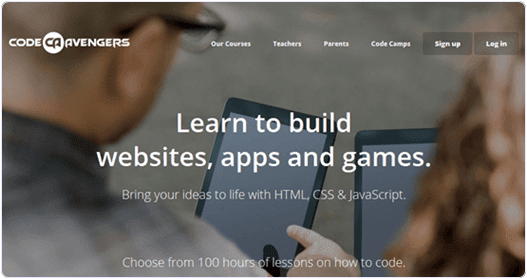
Code Avengers is designed to make you love programming. Though it only offers HTML5, CSS3 and JavaScript course for now, each of the courses is carefully designed to truly entertain you while leveling your programming skills painlessly. At the end of each lesson you also get to play a mini game to release your cumulated stress, and keep you going for longer. Code Avengers has a gradual approach to interactive learning. It does not explain too much knowledge that is not essential for beginners, just a bit of code and playful instruction, making things very easy to digest. You also get to play with the code, then see the impact of the changes immediately. It is carefully crafted with the beginner’s comfort in mind.
CodeAvengers.com


#4. CodeSchool.com


After you finished courses in Codecademy or Code Avengers, and you are ready to further expand your capabilities, Code School is the next quality website you should land on. Unlike most interactive learning sites, Code School offers more in-depth courses to train and turn you into an expert with the industry’s best practices.Code School charges $29 for unlimited access to every course.It is not for the beginners but for medium level programmers. It provide the highly expertise knowledge related to every course we join.

Overall, the courses are categorized into 4 main paths
  1. Ruby
  2. JavaScript
  3. HTML/CSS
  4. iOS
CodeSchool.com


#5. Treehouse.com


Treehouse courses are more project-oriented than language-oriented, so they are perfect for novice programmer with a planned purpose, such as building a website, or an application. For example, the Websites course is all about building a responsive website, interactive website or even WordPress theme – a very practical and efficient way to master related languages. Nonetheless, they have released a plethora of foundation courses with a video-then-quiz approach. For Treehouse, every course is divided into different stages or modules, and beyond every first stage the learner will be invited to pay a monthly subscription fee of $25 to access all courses with 650+ videos, and an exclusive Treehouse Members Forum as a bonus. If you are serious about your programming future, you could subscribe the $49 monthly plan to obtain in-depth interviews with leading industry pros and cutting-edge workshops.
Treehouse.com


#6. CodeHS.com


At this point all websites you read here are mainly dedicated to web development and computer science, but CodeHS is one with simple and fun game programming lessons that involve problem solving, JavaScript, animation, data structures, game design and puzzle challenges.The advantage of CodeHS is it teaches you to think, and solve a problem like a programmer with its first course, Programming with Karel. The lessons are fun as you will learn how to use the code to move the dog, Karel to complete given tasks and puzzles like picking up ball and building a towel. It plants a solid concept of programming and the way it solves the problem systematically in your mind.
CodeHS.com


#7. Udacity.com


Udacity is the video lectures based and also offer improved quizzes to achieve the interactive feel for students, so it’s ideal for those who don’t like to read but rather get explanations from industry professionals such as Google employees.You will be given a screencast from pros discussing the topics and instructions, then you will take either logic or programming quizzes to strengthen your understanding or forge it into a skill. The good thing about Udacity is it provides more videos than any other site, and the instructors are either real-life professors or industry veterans.
Udacity.com
Continue reading

Friday, 9 October 2015

Free Calling using Dingaling 10 Minutes Daily

Free Calling using Dingaling 10 Minutes Daily
Today i will tell you about a free calling trick. Using this trick you can make 10 minutes daily free calling.

Step Required:-
 First go to here( Use Default Browser)

https://www.dingaling.ca

* Then create a free account there & log in

* Now enter your mobile number and your Friend number


* Wait till "Free Call" Button gets "Green".

* Now Click on Free Call button.

* You will get a call back in your mobile, receive it & then Press * Buttonof your Mobile.

* Your call will be connected instantly to your Friend.

Now Enjoy free calling. It can help you in case of emergency wink
Continue reading

add all friends in facebook group once click

Steps To Add All Friends in Facebook Groups


  • First of all Log in into that whose friends you want to invite.
  •  Then open your Facebook Group in which you want to add friends.
  • Now Click F12 button to open debugger and then select console box.
  • Now copy script from below given button.
    • Copy paste the whole provided code and then paste them into console box.
    add-all-friends-to-facebook-group-script-code
      • Press enter and process will start for sending invitation.
          Note:- Don't worry about anything this script is totally safe. In case you have too many friends then you get blocked for using groups or even your account may get locked. So be careful.
             If Face any type of problem and want any type of suggestion just feel free to share your comment.
            Continue reading

            make singal name in facebook

            To make this article more simple. I divide this article into two parts so it will become easy to understand. In first part we will change our proxy settings for browser and in second part wemake our Facebook account name single. So follow both parts step by step carefully

                 Part 1:- Proxy Settings For Browser


                • First of all to use single name on Facebook. We need to Add manual proxy settings in our browser. So we need to use Indonesian proxy Search it at Google or i recommend to find it from Proxynova.com or any other site of your choice. 
                •  If you have knowledge about Using proxy settings in browser then its good. If you are don't know how to add proxy then read How To Add Proxy Settings in Browser.
                 OR
                • In case Your are not able to add proxy settings and facing any problem then i recommend to download Hola Better Internet VPN.
                • Install Hola Extension in Firefox or Chrome and then turn ON Hola and search and select Country Indonesia. 
                • It will automatically Implement proxy settings on your browser so you don't need to add proxies manually. 
                hola-country-settings

                Part 2:- Settings To Make Single Facebook Account


                • After doing proxy settings manually or by using Hola extension make sure it is working fine on Facebook.
                • Now its time to create single name id to do this.
                • Open your Facebook Account  Settings.
                • Change your language to Bahasa Indonesia.
                facebook-language-settings 
                    • Then  edit your current Facebook profile name and Simply remove Your Last Name. After that review your name and Save it. 
                    facebook-single-name-settings
                      • After that your Facebook Account is only using First Name and you will see that Last Name Hide.
                      • After Completing all steps, Remove Manual Proxy or Turn off Hola and change your language back to English (US) or other according to you. 
                      Note:- Make Sure that You Don't had already changed your account name from last 60 days and otherwise you will not be able to make single name until you crossed 60 days time period. If you crossed name change limit then it is not possible try it on another account.
                        I think there is no Need of Proof because our Tricks is working from Aug 2012 and our 200k+ users successfully make single name through our blog :) but if you want then check proofhere

                        Pahul-Singh-single-name-facebook

                        Continue reading

                        See Hidden Facebook Friends Friend’s List

                        See Hidden Facebook Friends Friend’s List
                        If you wanna see, the Hidden friends list of friends, then just follow us, Its a simple but very interesting trick which we are doing with the friend finder tool. Just on tool and search mutual friends of any friends you will get the complete list.
                        First, go to on Facebook Friends Finder.
                        Just type any friends and click on Mutual friends.
                        This toll will show all mutual friends of that friends.
                        Using that you can find complete friends list.
                        Continue reading

                        Sunday, 25 May 2014

                        NCELL FREE INTERNET HACKING TIPS

                        NCELL FREE INTERNET HACKING TIPS


                                              FREE INTERNET IN YOUR MOBILE 2014
                        सर्वप्रथम मेरो प्रस्तुति पढिदिनु भएकोमा धन्यवाद
                        आज म कसरि NCELL को  SIM प्रयोग गरेर फ्री मा नेट चलाउने भनेर जानकारी गराउदै छु
                        फ्री मा नेट चलाउनक लागि तपाई संग NCELL को  SIM हुनु पर्छ , NCELL को  SIM मा BALANCE RS.0.00 वा बढीमा RS.1.00 हुनु पर्दछ यदी NCELL को  SIM मा BALANCE RS.0.00 वा RS.1.00 भन्दा  बढी भएमा तपाईको सिमको पैसा काट्छ फ्री मा नेट चलाउनको लागि तल दिएको निम्न कुरा पुरा गर्नुहोस
                        १.तपाई सर्वप्रथम opera mini 3 HD  डाउनलोड गर्नुहोस  डाउनलोड गर्नक लागि यो मैले दिएको वेबसाईट(website) मा जानुहोस http://phoneky.com/java-software/?p=view-item&st=3&id=a9a24957&v=9.
                        अनि वेबसाईट(website) मा गए पछि download लेखेको ठाउँ मा ओके गर्नुहोस
                        २. opera mini 3 HD  डाउनलोड गरिसके पछाडी opera mini 3 HD  खोल्नुहोस (open)
                        .opera mini 3 HD इन्स्टल (install) हुन थाल्छ
                        ४.इन्स्टल भए पछाडी मोबयल को फोन उठाउने की (key)देखि माथि को की(key) थिच्नुहोस
                        ५. मोबयल को फोन उठाउने की वा फोन आउदा फोन उठाउने  (key)देखि माथि को की(key) थिचेपछाडी सेटिंग(setting) लेखेको ठाउँ मा ओके गर्नुहोस
                        ६.content folding ,visual effects लेखेको ठाउँ मा मार्क वा गुड चिन्ह लगाउनुहोस् ,protocol मा socket छानुहोस (choose socket option or network type in protocol)
                        ७.सेट्टिंग save  सेभ गर्नुहोस अनि balance rs.0.00  वा  balance नभको एन्सेल(ncell) को सिम मोबायेलमा लगाई फ्री मा नेट चलाउनुहोस

                        नोट:यदी opera mini 3 HD इन्स्टल (install) हुदा इर्रोएर (error) देखाएमा मलाई मैल गर्नुहोस मेरो मैल आइडी pramodhelper@gmail.com हो phone no.+9779862000489
                        ******************फेसबुकको नया कुराका  लागि www.facebookandmigtrick.blogspot.com or www.facebookandmigtrick@blogspot.com  ABOUT FACEBOOK HACKING VISIT  www.ashish2432@blogspot.com
                        Continue reading